Contents
- 0.1 The Content Marketing Problem Semrush Actually Solves
- 0.2 Stage 1 — Finding Topics Worth Writing About
- 0.3 Stage 2 — Understanding Your Audience Before You Write
- 0.4 Stage 3 — Creating Content That Actually Ranks
- 0.5 Stage 4 — Auditing What You Already Have
- 0.6 Stage 5 — Tracking Content Performance
- 0.7 What Plan Do You Actually Need for Content Marketing?
- 0.8 Current Semrush Pricing
- 0.9 Semrush SEO Free Trial ( Pro & Guru )
- 0.10 Semrush One Free Trial
- 0.11 The Actual Workflow — Putting It Together
- 0.12 Where Semrush Falls Short for Content
- 1 Best Semrush Alternatives to Consider
- 2 Everything You Need About Semrush Free Trial
- 2.1 Start Semrush Free Trial
- 2.2 How to Get Free Trial
- 2.3 How to Cancel Trial
- 2.4 Semrush One Free Trial
- 2.5 Semrush Pro & Guru Free Trial
- 2.6 Frequently Asked Questions
- 2.7 Can I use Semrush for content marketing on the Pro plan?
- 2.8 What is the Semrush Content Toolkit, and what’s included?
- 2.9 How does the Semrush SEO Writing Assistant actually work?
- 2.10 Is Semrush good for content audits?
- 2.11 How do I track whether my content is actually ranking?
- 2.12 What’s the difference between Semrush One and the SEO Classic plans for content marketing?
- 2.13 Do I need Semrush to have a successful content marketing strategy?
- 3 All Semrush Toolkits — Quick Overview
Most content marketers set up Semrush, run a keyword search or two, and then quietly wonder why their content still isn’t moving the needle.
The tool isn’t the problem. The workflow is.
Semrush has a genuinely deep content marketing stack — from audience research and topic discovery all the way through to content optimization and performance tracking. But most guides either scratch the surface or walk you through features without showing you how they connect into an actual publishing workflow.
This guide does it differently. I’ll walk you through exactly how to use Semrush for content marketing at each stage of the process — with the specific tools, the real gotchas, and what I’ve found actually works after years of running this across client projects.
Quick Answer
To use Semrush for content marketing, start with the Keyword Magic Tool for topic discovery, use Topic Research for content ideas, optimize drafts with the SEO Writing Assistant, run a Content Audit on existing pages, and track results with Position Tracking. The full workflow sits inside Semrush’s Content Toolkit, available on Guru plans and above.
The Content Marketing Problem Semrush Actually Solves
Here’s what a lot of marketers miss: content marketing without data is just publishing. You write things, hope they rank, and check Google Search Console six months later, wondering what went wrong.
Semrush plugs into every decision point in that process — before you write, while you write, after you publish.
The platform splits into what they call “toolkits.” For content marketing specifically, the relevant ones are the SEO Toolkit (for research and ranking intelligence), the Content Toolkit (for creation and optimization), and the Traffic & Market Toolkit (for competitive and audience intelligence). Semrush One plans also include AI Visibility tools, which matter now that a meaningful slice of search traffic is moving through AI-generated answers.
Most people only ever touch the keyword research side. That’s leaving a lot on the table.
Stage 1 — Finding Topics Worth Writing About
Starting with the Keyword Magic Tool
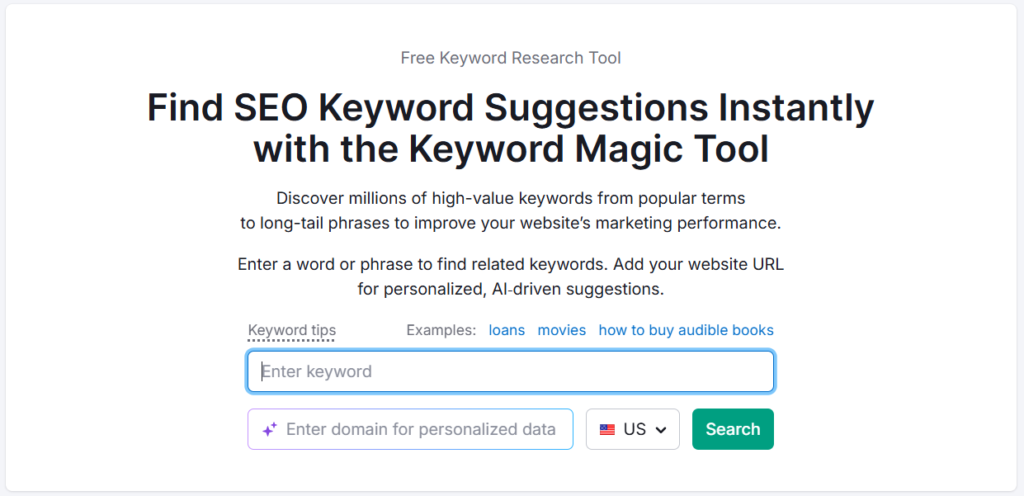
The Keyword Magic Tool is your primary entry point for content topic discovery. Enter a broad seed term — say, “content marketing” — and you’ll get access to millions of related keyword variations sorted by volume, keyword difficulty (KD%), intent, and CPC.
The part most people skip: switch to the Questions tab. That’s where you find the actual language your audience is using to ask about a topic. In my experience auditing content strategies for multiple clients, question-based keywords consistently outperform generic head terms for blog content — they match informational intent precisely, which is where most content marketing articles live.
Pay close attention to the KD% column. A KD of 70+ on a fresh domain or a new niche site is often a signal to go sideways rather than fight for the obvious keyword. Look for clusters of related lower-KD questions that cover the same topic from multiple angles.
Using Topic Research for Content Ideas
The Topic Research tool takes a keyword or concept and maps it to a visual content landscape — showing you top headlines, related questions, and subtopics clustered by engagement signals.
What’s genuinely useful here is the “Trending” filter. It surfaces topics gaining traction recently, rather than just historically popular ones. If you’re trying to time content around emerging search demand, this is faster than manually watching Google Trends.
One practical workflow I’ve used across several projects: run your primary keyword through Topic Research, pull the top 10–15 subtopics, then cross-reference each in Keyword Magic to check volume and difficulty before committing to a content calendar. This two-step check saves you from building editorial plans around topics that look interesting but have almost no search demand.
Stage 2 — Understanding Your Audience Before You Write
One2Target for Audience Intelligence
Most content marketers skip straight to writing. That’s a mistake.
Semrush’s One2Target tool lets you analyze the audience of any domain — including your competitors. You enter up to five competitor URLs, and it returns demographic breakdowns (age, gender), socioeconomic data (household income, education level), behavioral data (which social platforms they use, what types of sites they visit), and device usage.
For content strategy, this changes how you write — not just what you write about. If your audience skews heavily mobile (which One2Target will tell you), your long-form, table-heavy content structure probably needs rethinking. If they’re heavily concentrated on YouTube and Reddit, your promotion channel mix is missing something.
I’ve found this particularly useful when entering a new niche for a client. Rather than guessing who reads their competitors’ blogs, you can see it in the data within a few minutes.
Stage 3 — Creating Content That Actually Ranks
The SEO Writing Assistant
This is where content creation meets SEO data in real time. The SEO Writing Assistant (SWA) analyzes the top-ranking pages for your target keyword and gives you recommendations as you write — target word count, recommended semantically related keywords to include, readability score, originality check, and an overall SEO score.
It integrates directly with Google Docs and WordPress, which is where most content teams are actually working. The Google Docs add-on is underrated — you don’t need to copy-paste content into a separate tool.
Honest observation: the readability score is useful, but don’t let it turn your content robotic. The tool wants you to use certain semantic keywords, but context matters more than stuffing in every suggestion. I’ve seen writers hit a high SWA score and produce content that reads like it was written by a committee. Use it as a guide, not a checklist.
Pulling Competitor Content Gaps
Before finalizing your content brief, run a quick gap analysis. Enter your domain and two or three competitors into the Keyword Gap tool. It shows you keywords your competitors rank for that you don’t — these are your most direct content opportunities.
Filter by “Missing” (keywords none of your pages target at all) and sort by volume. That list is your content calendar waiting to happen.
Stage 4 — Auditing What You Already Have
If you have an existing content library — even a small one — a content audit is often more valuable than creating new content. Most sites have pages that are ranking on page two or three that need updating, not more new competitors to their own content.
The Content Audit Tool
Semrush’s Content Audit tool connects to your Google Search Console and Google Analytics (on Guru and above) and categorizes your existing pages into buckets: Rewrite or Remove, Need to Update, Quick Review, and Good to Go.
The categorization is based on traffic data, backlinks, social shares, and freshness signals. It’s not perfect — you’ll want to apply your own judgment before mass-deleting anything — but it gives you a working triage framework instead of making you analyze every URL manually.
In my testing across site audits, the most common finding is a cluster of posts in the 200–500-word range that were written years ago and have never earned a single backlink. Those are typically your “Rewrite or Remove” candidates. Consolidating them (combining topically related thin posts into one solid piece) has consistently improved organic visibility without adding a single new article.
Site Audit for Technical Health
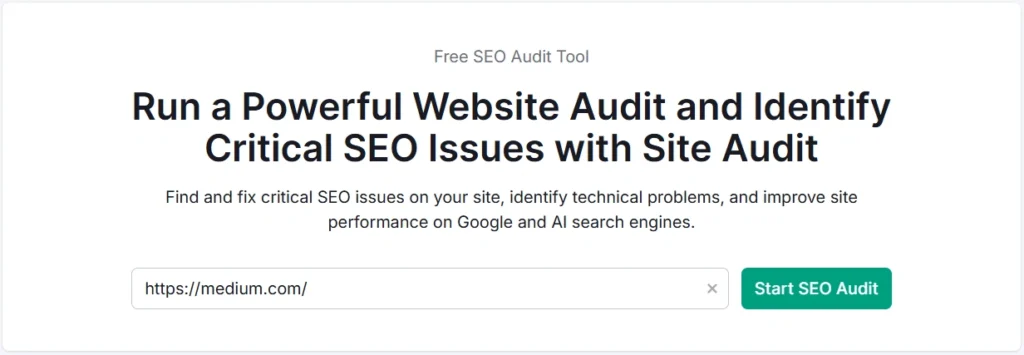
Content that lives on a technically broken site doesn’t perform well regardless of quality. The Site Audit tool checks crawlability, Core Web Vitals signals, internal linking structure, duplicate content flags, broken links, and more.
For content marketers specifically, the most relevant issue Site Audit flags is orphaned content — pages with no internal links pointing to them. Pages like this are effectively invisible from a crawl perspective. The fix is straightforward: build them into your internal linking structure. But you need to find them first.
Stage 5 — Tracking Content Performance
Position Tracking
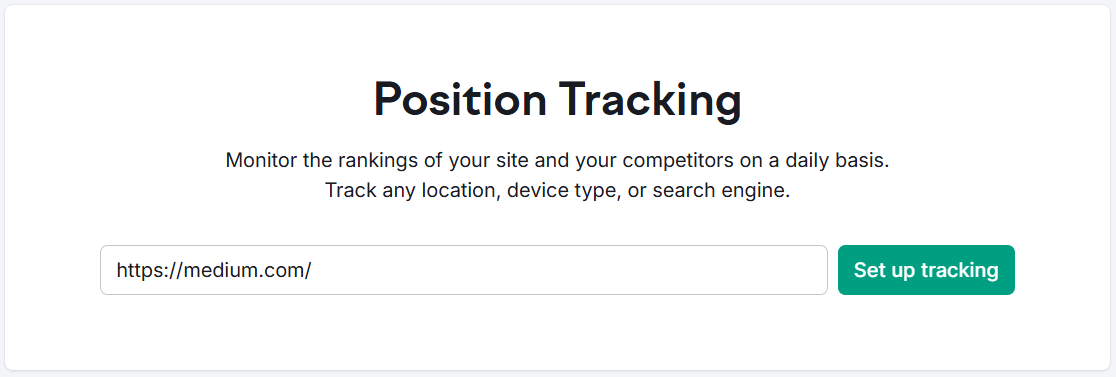
Set up a Position Tracking campaign for your primary target keywords, and Semrush will monitor your daily Google rankings, show visibility trends over time, flag SERP feature opportunities (featured snippets, People Also Ask), and let you compare your performance against specific competitors.
The visibility score is the metric I check most often on client dashboards. It gives you a single number that accounts for ranking position AND search volume, which is a more honest indicator of progress than “we moved from position 9 to position 7 on one keyword.”
Set up email alerts for significant ranking changes. For high-priority pages, a sudden drop almost always traces back to a technical issue, a competitor update, or a Google algorithm adjustment — and catching it early matters.
What Plan Do You Actually Need for Content Marketing?
This is worth being direct about, because not every Semrush plan gives you access to all the content tools.
Current Semrush Pricing
SEO Classic Plans
| Plan | Monthly | Annual (per month) |
|---|---|---|
| Pro | $139.95/mo | $117.33/mo |
| Guru | $249.95/mo | $208.33/mo |
| Business | $499.95/mo | $416.66/mo |
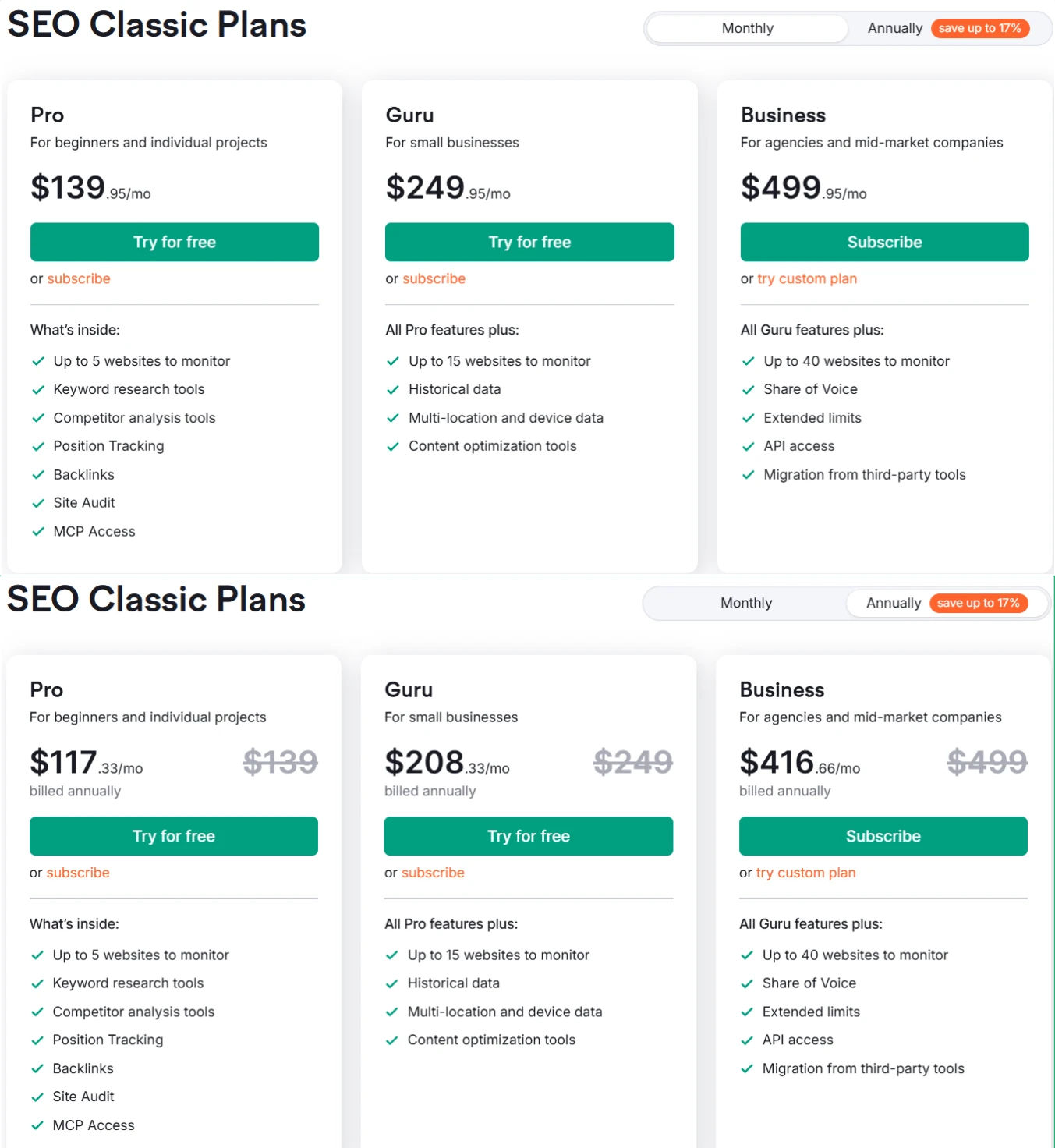
The Pro plan gives you keyword research, position tracking, site audit, backlink analytics, and competitor analysis. What it doesn’t include: historical data, content optimization tools, multi-location tracking, Looker Studio integration, or keyword cannibalization reports. For a solo blogger doing light content work, it might be enough. For anyone serious about content strategy, the gaps start to hurt quickly.
The Guru plan is the real content marketing tier. It adds historical data (critical for understanding seasonal trends and content decay), the Content Optimization tools, multi-location and device tracking, JavaScript rendering in Site Audit, keyword cannibalization analysis, and Looker Studio integration for reporting. It also bumps you to 1,500 tracked keywords and 15 websites, plus 30,000 results per report compared to 10,000 on Pro.
Business is for agencies and larger teams — 40 websites, 5,000 keywords, 50,000 results per report, API access, and migration from third-party tools. The Share of Voice metric also becomes available here, which matters if you’re reporting on brand content performance.
Semrush SEO Free Trial ( Pro & Guru )
Get full Pro access for 7 days — keyword research, site audit, backlink analysis & competitor research. No charge until after the trial ends.
Start Your Semrush 7-Day Free Trial→Semrush One Plans (Introductory Pricing)
Semrush One is their newer unified offering, combining traditional SEO with AI visibility tracking and GEO (Generative Engine Optimization). These are on introductory pricing currently.
| Plan | Monthly | Annual (per month) |
|---|---|---|
| Starter | $199/mo | $165.17/mo |
| Pro+ | $299/mo | $248.17/mo |
| Advanced | $549/mo | $455.67/mo |
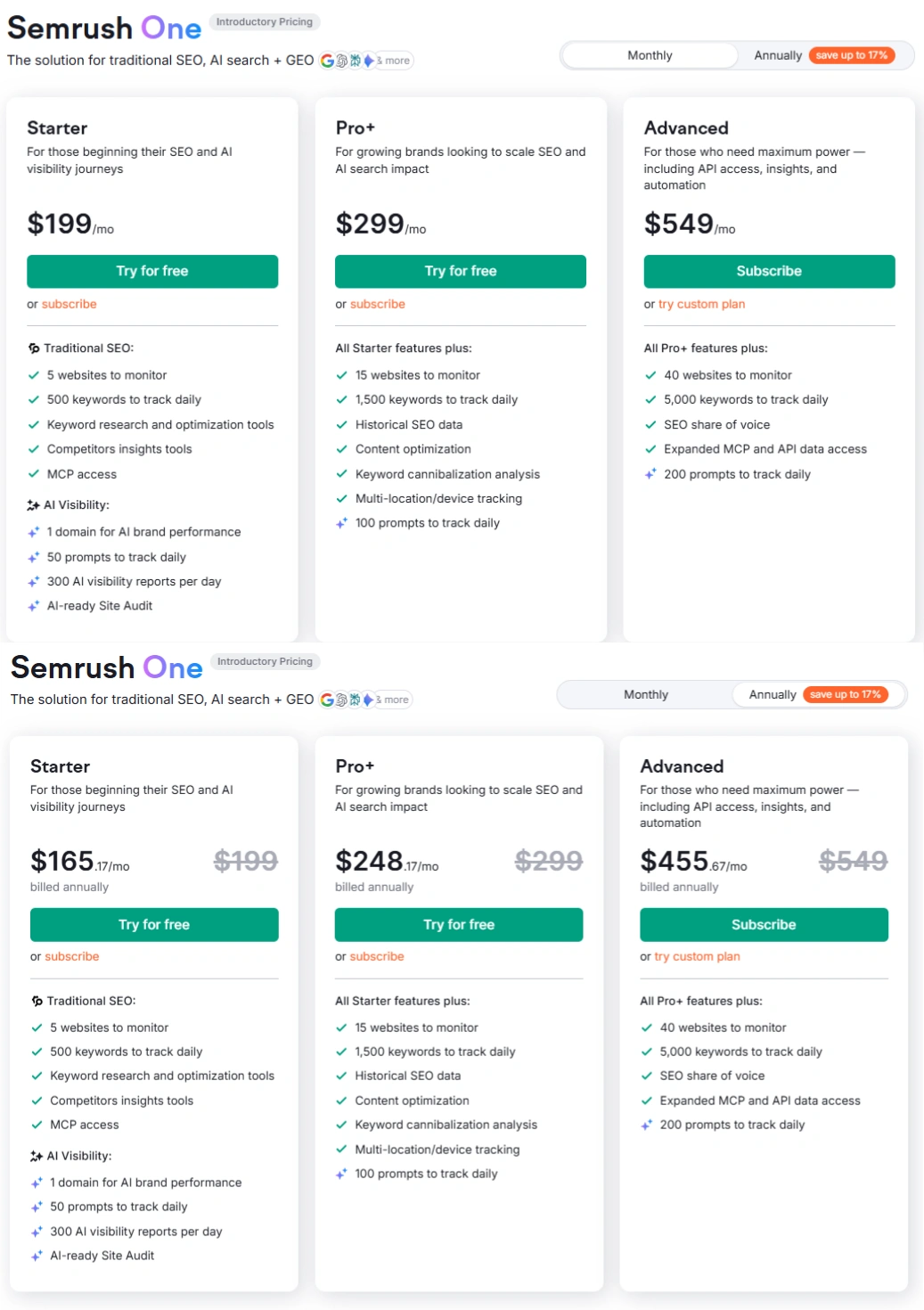
Starter includes 5 websites, 500 keywords tracked daily, MCP access, and AI Visibility features: 1 domain for AI brand performance, 50 prompts tracked daily, 300 AI visibility reports per day, and AI-ready Site Audit.
Pro+ adds 15 websites, 1,500 keywords, historical SEO data, content optimization, keyword cannibalization analysis, multi-location/device tracking, and 100 AI prompts tracked daily.
Advanced scales to 40 websites, 5,000 keywords, 200 AI prompts, SEO share of voice, and expanded MCP and API data access.
The key difference between Semrush One and SEO Classic: if AI search visibility (ChatGPT, Perplexity, Gemini) is part of your content strategy, Semrush One gives you tracking infrastructure that Classic plans don’t. For content marketers who are starting to think about how their brand appears in AI-generated answers — not just Google rankings — this is increasingly relevant.
Semrush One Free Trial
Everything you need to win AI visibility and drive SEO Success. Get full Semrush One access for 7 days — explore the Starter, Pro+, or Advanced plans. Track your website’s SEO performance, monitor AI visibility and brand share of voice, run deep site audits, and get AI-driven marketing insights. No charge until after your 7-day trial ends.
Start Your Semrush One 7-Day Free Trial →Add-Ons Available Across Plans
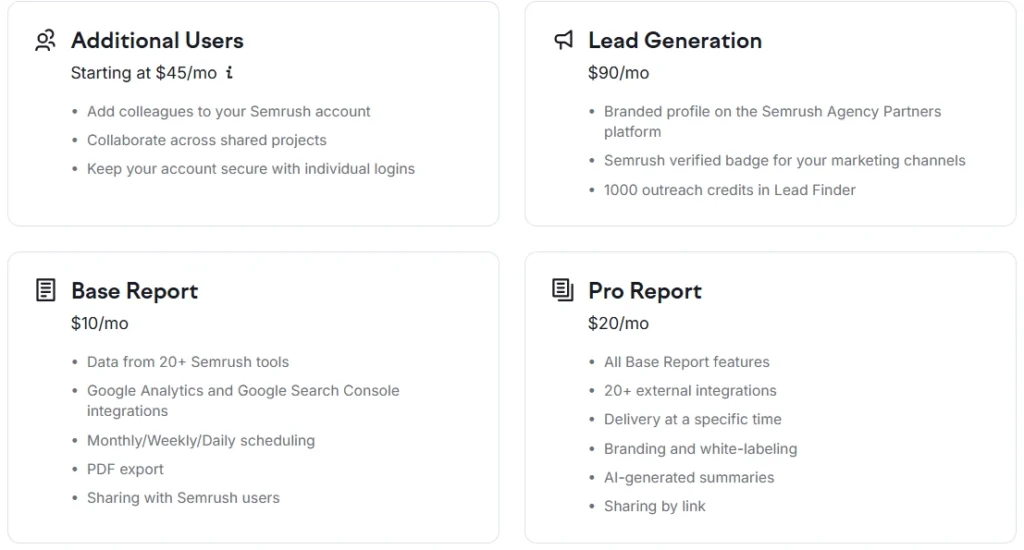
- Additional Users: from $45/mo per user
- Lead Generation: $90/mo (agency-focused)
- Base Report: $10/mo
- Pro Report: $20/mo (includes branding, white-labeling, AI-generated summaries, and sharing by link)
You can explore SEO Classic plan details here or compare Semrush Pro vs Guru if you’re deciding between the two most popular tiers.
The Actual Workflow — Putting It Together
Most people use Semrush tools in isolation. The compounding value comes from connecting them:
Step 1 — Research: Keyword Magic Tool (topic ideas + question clusters) → One2Target (audience validation) → Keyword Gap (competitor content opportunities)
Step 2 — Create: Topic Research (content angle mapping) → SEO Writing Assistant (real-time optimization while drafting)
Step 3 — Maintain: Content Audit (triage existing library) → Site Audit (technical health check, orphaned content)
Step 4 — Track: Position Tracking (rankings + visibility) → Organic Traffic Insights (connect GSC + Analytics for full-picture performance)
That loop — research, create, maintain, track — is the repeatable system. Semrush covers every node in it. The teams that get consistent results are the ones running this as an ongoing cycle, not a one-time setup.
Where Semrush Falls Short for Content
Honesty matters here.
The SEO Writing Assistant recommendations are based on what’s ranking, which means they’re inherently backward-looking. If you follow every suggestion to match current top-ranking content exactly, you risk producing derivative content rather than genuinely better content. Use it for semantic coverage, not as a template.
The Content Audit tool needs Google Search Console and Analytics connected to return useful data. If you’re working on a site without those integrations set up, the audit gives you almost nothing actionable.
And if budget is a serious constraint — if the Guru plan’s price point isn’t viable yet — there are capable alternatives worth knowing about. Semrush vs SE Ranking is worth reading if you’re comparing on a tighter budget. Semrush vs Mangools is another honest comparison for solo creators who mainly need keyword research without the full toolkit.
Best Semrush Alternatives to Consider
If Semrush’s pricing feels steep after the trial, these three tools cover most of what you need at a lower price point — SE Ranking, Mangools, and Ubersuggest all offer free trials too.
SE Ranking
More affordable entry pricing, solid rank tracking and audit features. Good for small agencies and freelancers who don’t need Semrush’s full data depth.
Try SE Ranking →Mangools
Beginner-friendly, clean UI, strong keyword and SERP tools at a much lower price point. Perfect for solo bloggers who need keyword research without the complexity.
Try Mangools →Ubersuggest
Neil Patel’s SEO Tool — keyword research, site audit, and competitor analysis at a very affordable price. Great for beginners and small business owners on a tight budget.
Try Ubersuggest →Try It Before You Commit
Semrush offers a 7-day free trial on both the Pro and Guru plans (SEO Classic), and on Semrush One Starter and Pro+ as well. That’s enough time to run a full keyword research session, a content audit on your existing pages, and set up Position Tracking for your priority keywords.
Start your 7-day free trial here — no commitment, and the Guru plan trial gives you access to the content tools that matter most.
Everything You Need About Semrush Free Trial
Activate your Semrush free trial directly, read our step-by-step guide on how to get it, or learn how to cancel before getting charged — all in one place.
Start Semrush Free Trial
Get full Pro access for 7 days — keyword research, site audit, backlink analysis & competitor research. No charge until after the trial ends.
Start Free Trial →How to Get Free Trial
Step-by-step guide to activate your Semrush free trial — what you unlock, how to use it right, and how to get maximum value in 7 days.
Read Full Guide →How to Cancel Trial
Don’t get charged by mistake. Step-by-step guide to cancel your Semrush trial before the billing date — timing tips included.
Read Cancel Guide →Semrush One Free Trial
Dominate the future of AI search. Unlock advanced brand share of voice, monitor generative AI visibility, automate insights, and scale marketing impact across all digital channels.
Semrush Pro & Guru Free Trial
Master your organic rankings. Run comprehensive site audits, track keyword positions, analyze backlink profiles, and spy on competitor SEO strategies completely risk-free for 7 days.
Frequently Asked Questions
Can I use Semrush for content marketing on the Pro plan?
You can do keyword research and competitor analysis on Pro, but the dedicated content optimization tools — including the SEO Writing Assistant’s full functionality, historical data, and content audit with Analytics integration — require Guru or higher. For anyone building a content strategy beyond basic research, the Pro plan creates noticeable gaps fairly quickly.
What is the Semrush Content Toolkit, and what’s included?
The Content Toolkit is Semrush’s bundle of content-specific tools, which includes Topic Research, the SEO Writing Assistant, the ContentShake AI writer, and the Content Audit tool. It’s available as part of Guru and Business plans, or as a standalone add-on. It connects directly to Google Docs and WordPress, making it practical for editorial teams rather than just solo SEOs.
How does the Semrush SEO Writing Assistant actually work?
You enter your target keyword, and the tool analyzes the top-ranking pages to generate recommendations: a target word count range, a list of semantically related terms to include, a readability score, and an overall SEO score. It updates in real time as you write. The Google Docs add-on version is the most practical for teams, since it doesn’t require leaving your working environment. That said, treat the recommendations as a guide — a high SWA score doesn’t automatically mean the content is good.
Is Semrush good for content audits?
Yes, particularly on Guru and above, where the tool connects to Google Search Console and Analytics. It categorizes existing pages into actionable buckets (Rewrite or Remove, Update, Review, Good to Go) based on traffic, backlinks, and content freshness. For sites with large content libraries — say, 200+ published posts — this can save hours compared to manual analysis. The limitation is that it relies heavily on external data connections, so sites without GSC set up won’t get full value from it.
How do I track whether my content is actually ranking?
Use Semrush’s Position Tracking tool. Set up a campaign with your target keywords, configure your location and device settings, and Semrush will monitor your rankings daily. The Visibility Score metric is the most useful aggregate indicator — it combines ranking position with search volume so you’re not just measuring position changes on individual keywords. You can also set up email alerts for significant changes, which is useful for catching ranking drops on high-priority pages early. For more details on getting started without paying, check out how to use Semrush for free.
What’s the difference between Semrush One and the SEO Classic plans for content marketing?
The core content marketing tools are available on both plan families. The main differentiator is AI Visibility tracking — Semrush One includes monitoring for how your brand appears in AI-generated search results (ChatGPT, Perplexity, Gemini), which SEO Classic plans don’t cover. If that’s a priority for your content strategy, Semrush One is worth the premium. If you’re focused purely on traditional SEO content workflows, the SEO Classic Guru plan covers everything most content marketers need at a lower price point.
Do I need Semrush to have a successful content marketing strategy?
No — but the time savings and data accuracy make a meaningful difference at scale. The workflows I’ve described (keyword gap analysis, content audit triage, position tracking) are all possible manually. The question is how long they take. Running a proper content audit manually on a 300-page site takes days. Semrush does it in under an hour. For teams where time is the constraint, that tradeoff usually justifies the cost.
All Semrush Toolkits — Quick Overview
Semrush is not just one tool. It’s a complete platform of 8 specialized toolkits — each built for a specific marketing goal. Pick the one that fits your workflow, or go all-in with Semrush One.