Most people open Semrush, stare at the dashboard for ten minutes, and then go straight to keyword research — ignoring half the tools that could actually move the needle.
That’s not entirely their fault. Semrush has 55+ tools packed into one platform, and there’s no obvious “start here” sign. After five years of using it across my own sites and client projects, I’ve built a repeatable workflow that covers the full SEO cycle — not just keyword hunting.
Quick Answer: To use Semrush to improve SEO, start with a Site Audit to fix technical issues, then use Keyword Magic Tool for research, On Page SEO Checker for content optimization, Backlink Analytics to analyze link gaps, and Position Tracking to monitor rank changes. Used in sequence, these tools create a complete improvement loop — not just isolated data points.
This guide walks through that exact workflow.
Where Most People Go Wrong First
Jumping straight into keyword research without auditing your site is like adding more traffic to a broken road. The rankings won’t stick if your technical foundation is shaky.
The right order matters. Semrush is most effective when used as a system — audit first, optimize second, track third, repeat.
Here’s how I approach it.
Step 1 — Run a Site Audit Before Anything Else
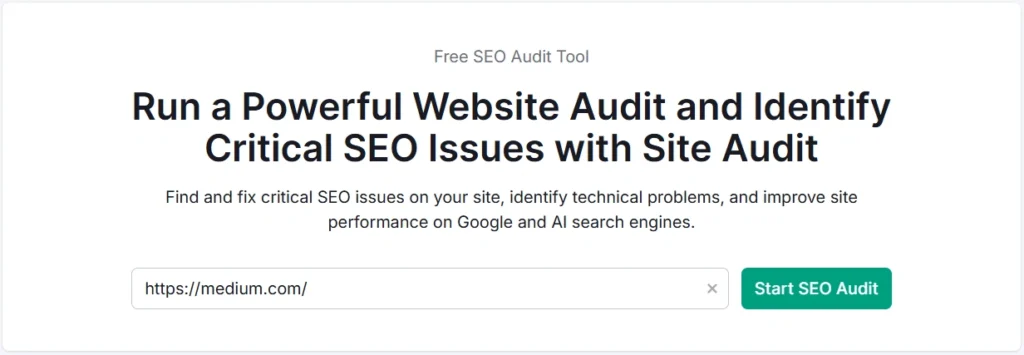
The Site Audit tool is where every SEO project should begin. It crawls your website and surfaces technical issues across categories: crawlability, HTTPS, Core Web Vitals signals, internal linking, duplicate content, and more.
When I audit a client site for the first time, I almost always find at least a handful of issues that are silently hurting rankings — missing meta descriptions, broken internal links, slow page speed signals, and pages blocked in robots.txt.
How to start:
- Go to Site Audit in your Semrush dashboard
- Create a new project and enter your domain
- Set the crawl scope (pages per crawl depends on your plan — Pro crawls up to 100,000 pages/month)
- Run the audit and wait for the report
The report gives you a site health score and groups issues into Errors, Warnings, and Notices. Fix errors first — they have the highest SEO impact.
What to prioritize in the audit
- Crawl errors — Pages returning 4xx or 5xx status codes
- Broken internal links — These waste crawl budget and hurt UX
- Missing or duplicate title tags and meta descriptions
- Pages with thin content — Semrush flags pages under a certain word threshold
- Core Web Vitals issues — Especially LCP and CLS signals
One thing I noticed on a recent audit: a site with 300+ published articles had nearly 40 orphan pages — posts with zero internal links pointing to them. They were practically invisible to Google. Semrush surfaced that in under ten minutes.
Step 2 — Find Keywords That Can Actually Rank
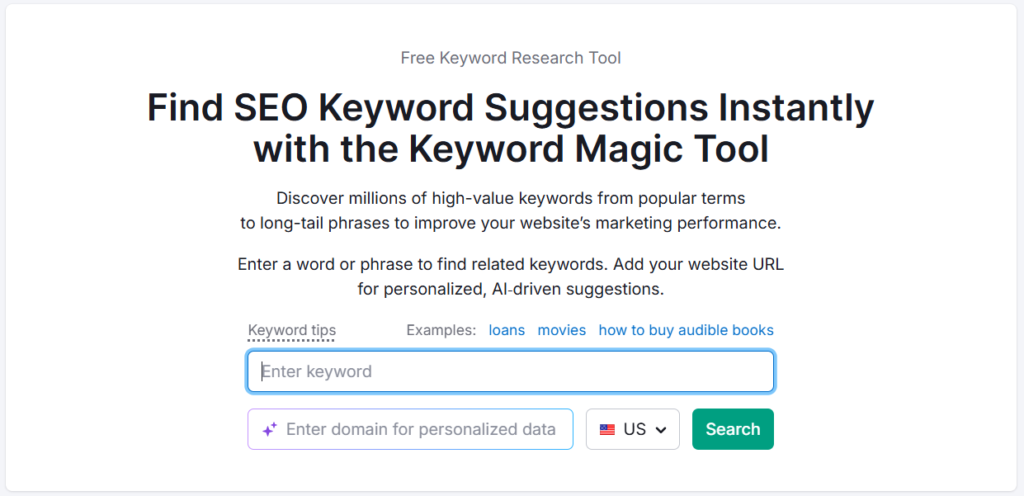
Once your technical health is in reasonable shape, keyword research is the next lever.
The Keyword Magic Tool is Semrush’s research engine. Enter a seed keyword, and it returns thousands of variations grouped by topic clusters — a feature that makes topical planning significantly easier than working from a flat keyword list.
How to use the Keyword Magic Tool effectively
- Filter by KD% (Keyword Difficulty) — start with 0–49% for easier opportunities
- Use the Intent filter to separate informational from commercial keywords
- Toggle Questions to find FAQ and long-tail content ideas
- Check SERP Features to see which keywords trigger featured snippets or People Also Ask boxes
What I’ve found useful: grouping keywords by topic cluster rather than hunting individual terms. Semrush shows related keyword groups in the left sidebar — this maps directly to a content silo structure.
For a client in the SaaS space, I used this approach to identify a cluster of 18 low-competition informational keywords around a single topic. Instead of one article, we built a mini content cluster — and within a few months, the supporting articles were pulling traffic and internally linking to the main page.
Keyword Overview for quick validation
Before committing to a keyword, run it through Keyword Overview. It shows:
- Search volume (with historical trends)
- Keyword difficulty
- CPC (useful for understanding commercial intent)
- SERP snapshot — the actual pages currently ranking
That SERP snapshot is underrated. Seeing whether top results are Reddit threads, forum posts, or thin content tells you more about rankability than the KD score alone.
Step 3 — Analyze What’s Already Ranking (Competitor Gap)
Here’s where Semrush pulls ahead of most tools. The Domain Overview and Keyword Gap features let you reverse-engineer what’s working for competitors and find what they’re ranking for that you’re not.
Domain Overview
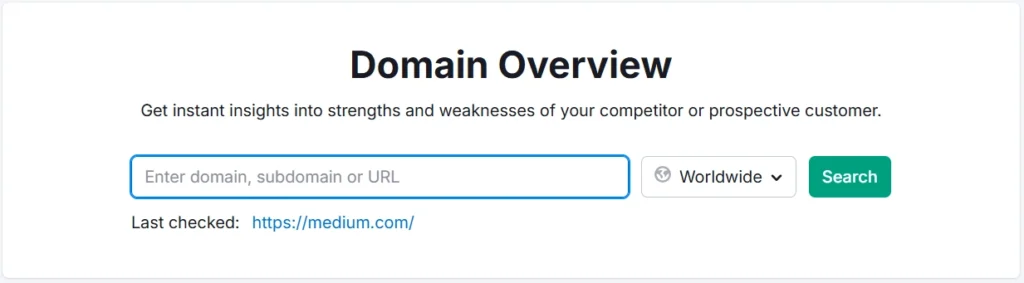
Enter any competitor’s domain, and you’ll see:
- Estimated organic traffic
- Total keywords they rank for
- Top pages by traffic
- Traffic trend over time
I use this to quickly assess whether a competitor has been hit by a Google update — a sudden traffic drop in their timeline is a signal worth investigating.
Keyword Gap
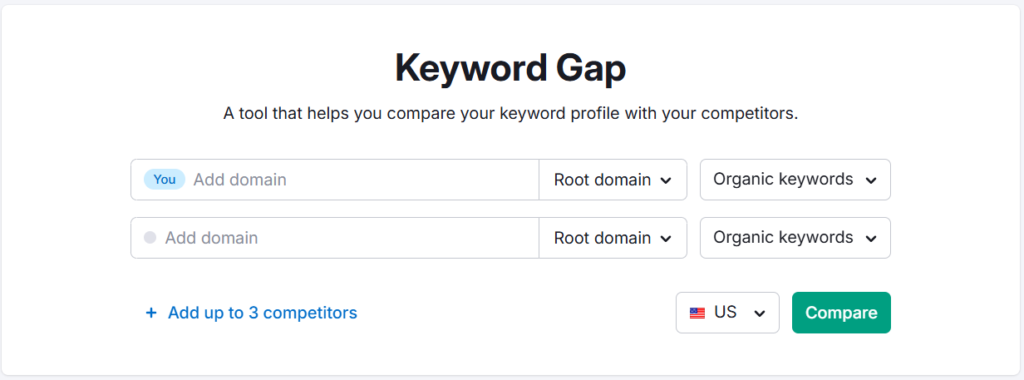
This tool compares your domain against up to four competitors and segments keywords into categories:
- Missing — Keywords competitors rank for, but you don’t appear for at all
- Weak — Keywords where you rank much lower than competitors
- Untapped — Keywords multiple competitors rank for, but you’ve ignored
The “Missing” category is typically a goldmine for content planning. Filter by volume and difficulty to find the most accessible opportunities.
Step 4 — Optimize Existing Pages (Not Just New Ones)
Most SEO guides jump straight to writing new content. But improving existing pages often delivers faster results — especially for pages already ranking between positions 5 and 20.
On Page SEO Checker is the right tool for this. You enter a target URL and keyword, and it gives you specific recommendations grouped by category: content, backlinks, technical, semantic, and user experience signals.
What the recommendations look like in practice
- Add semantically related terms that your competitors are using, but you’re not
- Increase content length if top-ranking pages are significantly longer
- Fix missing or weak title tags and meta descriptions
- Add FAQ schema where relevant
- Build more internal links to the page
The tool pulls data from pages actually ranking in the top 10 for that keyword — so the recommendations are competitive, not generic.
One important note: don’t treat every suggestion as mandatory. Some recommendations push you toward keyword stuffing if followed blindly. Use judgment — the tool surfaces opportunities, not rules.
Step 5 — Build and Monitor Backlinks
Backlinks are still a core ranking signal. Semrush gives you two main tools here: Backlink Analytics for research, and Backlink Audit for cleanup.
Backlink Analytics
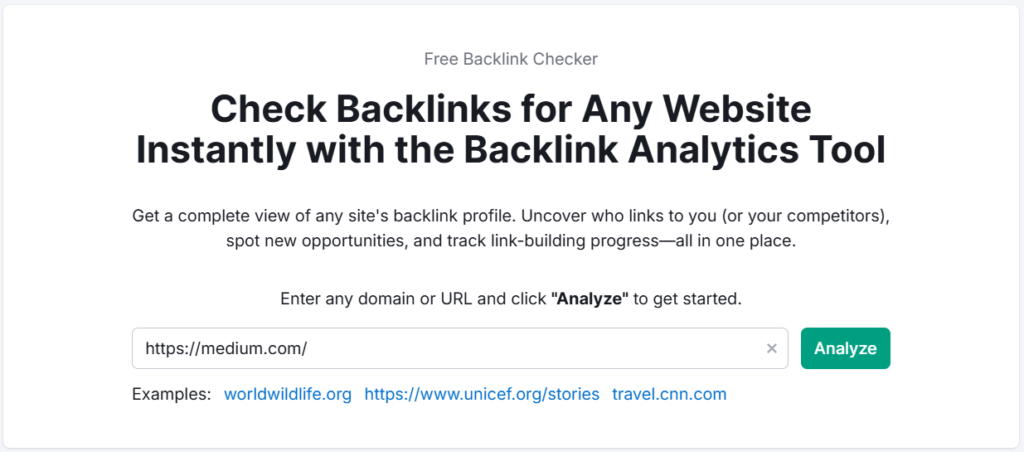
Enter your domain (or a competitor’s) to see:
- Total backlinks and referring domains
- Authority Score of linking sites
- Anchor text distribution
- New and lost backlinks over time
Comparing your backlink profile against a top competitor is one of the fastest ways to identify link-building opportunities. If three of your competitors have backlinks from a specific industry publication and you don’t, that’s a clear outreach target.
Backlink Audit
This tool identifies toxic or spammy backlinks pointing to your site — links that could be holding back your rankings or, in extreme cases, triggering a manual penalty.
The process:
- Run the audit
- Review links flagged as toxic or suspicious
- Attempt outreach to remove them
- Add unremovable links to a disavow file
In my experience, most established sites have a handful of junk links from old directories or link farms. Cleaning them up isn’t always urgent, but it’s good hygiene — especially before a site migration or after a rankings drop.
Step 6 — Track Rankings and Measure Progress
All the work above is meaningless without tracking. Position Tracking lets you monitor where specific keywords rank daily, across devices and locations.
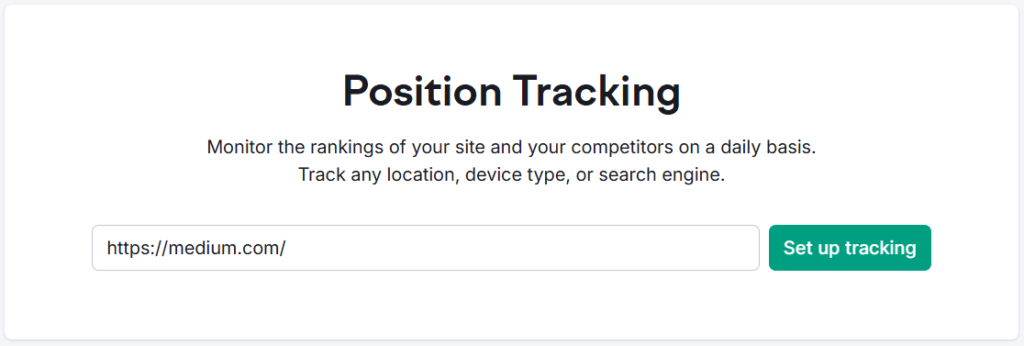
Setting up Position Tracking
- Create a project and add your domain
- Enter the keywords you want to track (from your keyword research in Step 2)
- Set the target location and device type (desktop and mobile separately if needed)
- Monitor daily changes
The dashboard shows ranking movements, estimated traffic share, and SERP feature visibility. You can also track competitor domains in the same dashboard — so you see their ranking changes alongside yours.
Pro plan tracks 500 keywords/day. Guru tracks 1,500. Business tracks 5,000. If you’re managing multiple client sites or large content operations, the keyword limit becomes a real consideration.
One feature I use regularly: Position Tracking triggers — email alerts when a keyword drops below or climbs above a set threshold. It catches sudden ranking changes without requiring a daily manual check.
What the SEO Workflow Actually Looks Like End-to-End
Here’s how these steps connect as a repeatable loop:
- Audit → Fix technical issues (Site Audit)
- Research → Find keyword opportunities (Keyword Magic Tool, Keyword Gap)
- Optimize → Improve existing pages (On Page SEO Checker)
- Build → Acquire and clean up backlinks (Backlink Analytics, Backlink Audit)
- Track → Monitor performance (Position Tracking)
- Repeat → Audit quarterly, expand keyword clusters
SEO isn’t a one-time project. The loop repeats — and Semrush is designed to support each phase of it.
Which Semrush Plan Do You Actually Need?
This depends heavily on the size of your operation. Here’s how the current plans break down.
SEO Classic Plans
These are Semrush’s traditional plans — focused on core SEO workflows.
| Plan | Monthly Price | Annual Price (per month) |
|---|---|---|
| Pro | $139.95/mo | $117.33/mo |
| Guru | $249.95/mo | $208.33/mo |
| Business | $499.95/mo | $416.66/mo |
Pro is suited for beginners and individual projects — up to 5 websites, 500 keywords tracked daily, keyword research tools, competitor analysis, Position Tracking, Backlinks, Site Audit, and MCP Access.
Guru adds: up to 15 websites, 1,500 keywords daily, historical data, multi-location and device tracking, content optimization tools, keyword cannibalization analysis, Looker Studio integration, and Topics in Keyword Analytics.
Business extends to 40 websites, 5,000 keywords daily, Share of Voice, extended limits, API access, and migration from third-party tools.
Pro and Guru both come with a 7-day free trial. Business requires a direct subscription or custom plan.
Semrush SEO Free Trial ( Pro & Guru )
Get full Pro access for 7 days — keyword research, site audit, backlink analysis & competitor research. No charge until after the trial ends.
Start Your Semrush 7-Day Free Trial→Semrush One
Semrush One is a newer bundle that covers traditional SEO plus AI visibility and GEO tracking — relevant if your clients or your own sites need visibility across AI-generated search responses, not just Google’s traditional results.
| Plan | Monthly Price | Annual Price (per month) |
|---|---|---|
| Starter | $199/mo | $165.17/mo |
| Pro+ | $299/mo | $248.17/mo |
| Advanced | $549/mo | $455.67/mo |
Starter covers 5 websites, 500 keywords tracked daily, 50 AI prompts tracked daily, 300 AI visibility reports/day, 1 domain for AI brand performance, and MCP access.
Pro+ adds: 15 websites, 1,500 keywords, historical SEO data, content optimization, keyword cannibalization analysis, multi-location/device tracking, and 100 AI prompts tracked daily.
Advanced scales to 40 websites, 5,000 keywords, SEO share of voice, expanded MCP and API data access, and 200 AI prompts tracked daily.
Starter and Pro+ include a free trial. Advanced requires a direct subscription or custom plan.
If you’re purely focused on traditional SEO workflows (the steps in this guide), the SEO Classic plans are the more cost-effective entry point. Semrush One makes more sense if you’re also tracking how your brand appears inside AI-generated answers on platforms like ChatGPT, Perplexity, or Google AI Overviews.
Semrush One Free Trial
Everything you need to win AI visibility and drive SEO Success. Get full Semrush One access for 7 days — explore the Starter, Pro+, or Advanced plans. Track your website’s SEO performance, monitor AI visibility and brand share of voice, run deep site audits, and get AI-driven marketing insights. No charge until after your 7-day trial ends.
Start Your Semrush One 7-Day Free Trial →Add-ons Worth Knowing About
- Additional Users — Starting at $45/mo (varies by plan)
- Lead Generation — $90/mo (agency-focused: branded profile, verified badge, 1,000 outreach credits in Lead Finder)
- Base Report — $10/mo (data from 20+ tools, GA and GSC integrations, PDF export)
- Pro Report — $20/mo (all Base Report features + 20+ external integrations, branding, white-labeling, AI-generated summaries)
Where Semrush Has Real Limitations
No tool is perfect. A few things worth knowing before you commit:
Cost at scale — If you’re managing 20+ sites, the per-seat costs add up quickly. The plan limits (especially on keywords tracked and sites monitored) become friction points on higher-volume operations.
Data estimation, not exact data — Semrush’s traffic and volume figures are estimates based on its own index and modelling. For niches with low search volume, the numbers can be off. Always cross-reference with Google Search Console for your own properties.
Learning curve — With 55+ tools, new users often feel overwhelmed. The workflow in this guide helps, but it still takes a few weeks to build fluency across all the features.
AI Visibility features are evolving — If AI search tracking is your main interest, note that this feature set is still relatively new. The data coverage and accuracy will improve over time, but it’s not as mature as the core SEO toolset yet.
Semrush One Free Trial
Dominate the future of AI search. Unlock advanced brand share of voice, monitor generative AI visibility, automate insights, and scale marketing impact across all digital channels.
Semrush Pro & Guru Free Trial
Master your organic rankings. Run comprehensive site audits, track keyword positions, analyze backlink profiles, and spy on competitor SEO strategies completely risk-free for 7 days.
Frequently Asked Questions
Can Semrush actually help improve Google rankings?
Yes — but indirectly. Semrush provides the data and diagnostics; the improvement comes from acting on them. The combination of technical audits, keyword targeting, content optimization, and backlink tracking gives you a structured system for finding and fixing ranking gaps. In my experience across client projects, the most measurable improvements came from fixing audit issues and optimizing existing pages already ranking between positions 5–20.
Is Semrush good for beginners?
Semrush has a noticeable learning curve. Beginners will find value in the Site Audit and Keyword Magic Tool fairly quickly, but tools like Backlink Audit and Keyword Gap take more context to use well. Starting with a 7-day free trial is the sensible approach — it gives you enough time to work through the core workflow before committing to a paid plan.
What is the difference between Semrush Pro and Guru for SEO work?
The main functional differences are historical data, multi-location tracking, content optimization tools, and keyword cannibalization analysis — all of which are Guru-only features. Pro works well for individual freelancers and single-site owners. If you’re managing multiple clients or need deeper content and location data, Guru is the more practical choice. See the full Semrush Pro vs Guru breakdown for a detailed comparison.
How often should I run a Site Audit in Semrush?
Quarterly is a reasonable baseline for most sites. For actively growing sites or those that publish frequently, monthly audits catch issues earlier — especially around internal linking and crawl errors that accumulate as content scales. Set up automated recurring crawls inside the Site Audit project settings so you don’t have to remember to do it manually.
Does Semrush show accurate keyword search volumes?
Semrush’s keyword volume data is an estimate — not a direct pull from Google. For head terms with high volume, the numbers are generally reasonable. For niche or low-volume keywords (under 100 searches/month), treat the numbers as directional rather than precise. Always validate high-stakes keywords against Google Search Console data and Google Keyword Planner if precision matters.
Can I use Semrush for free without a credit card?
Semrush has a limited free account with restricted access to reports and data. For the full feature set, the 7-day trial requires a payment method. If you want to explore the platform without a commitment, the free account covers basic keyword lookups and a limited number of reports. Check out the guide on how to use Semrush for free for a breakdown of what’s accessible without paying.
What’s the best Semrush plan for a single blogger?
The Pro plan (SEO Classic) is typically enough for a single-site blogger — 5 websites to monitor, 500 keywords tracked daily, and access to all the core research and audit tools. If you need historical data or content optimization tools, stepping up to Guru makes sense. Most bloggers don’t need a business plan unless they’re running a large content operation or agency-level client work.
The Real Value of Semrush for SEO
Here’s what I’ve found after five-plus years of using this platform: Semrush is most valuable not as a research tool, but as a diagnostic system. The keyword data is useful. The site audit is where the real SEO improvement happens.
Most ranking problems aren’t caused by missing keywords — they’re caused by technical issues, weak internal linking, thin content, or a backlink profile that isn’t competitive enough for the target keyword. Semrush surfaces all of that in one place.
The workflow isn’t complicated: audit, research, optimize, track, repeat. The tool handles the data collection. You handle the decisions.
If you haven’t tried it yet, the 7-day free trial is the right starting point — run a Site Audit on your own domain and see what comes back. That alone usually makes the value clear.
Everything You Need About Semrush Free Trial
Activate your Semrush free trial directly, read our step-by-step guide on how to get it, or learn how to cancel before getting charged — all in one place.
Start Semrush Free Trial
Get full Pro access for 7 days — keyword research, site audit, backlink analysis & competitor research. No charge until after the trial ends.
Start Free Trial →How to Get Free Trial
Step-by-step guide to activate your Semrush free trial — what you unlock, how to use it right, and how to get maximum value in 7 days.
Read Full Guide →How to Cancel Trial
Don’t get charged by mistake. Step-by-step guide to cancel your Semrush trial before the billing date — timing tips included.
Read Cancel Guide →