To delete your Semrush account: log in → go to Support → submit an account deletion request. You'll receive a confirmation email with an activation link valid for 72 hours. Once confirmed, your account is permanently deleted within 30 days. Note: canceling a subscription and deleting an account are two different things.
Cancel vs Delete — What's the Difference?
Most people confuse these two. They're not the same, and doing the wrong one can lead to unexpected charges or data loss.
- Canceling a subscription — stops future billing but keeps your account and data intact. You drop to a free plan with limited access.
- Deleting an account — permanently removes your account, all saved data, projects, reports, and keyword tracking history. This cannot be undone.
⚡ Before you delete: Make sure you've exported all keyword lists, audit reports, and backlink data you want to keep. Once deleted, nothing can be recovered — even Semrush's support team cannot restore it.

How to Delete Your Semrush Account — Step by Step
Semrush processes account deletions through their Support team — there is no single-click delete button inside the dashboard. Here's the exact process:
Log Into Your Semrush Account
Go to semrush.com and sign in with the email address associated with your account.
Go to Support & Submit a Deletion Request
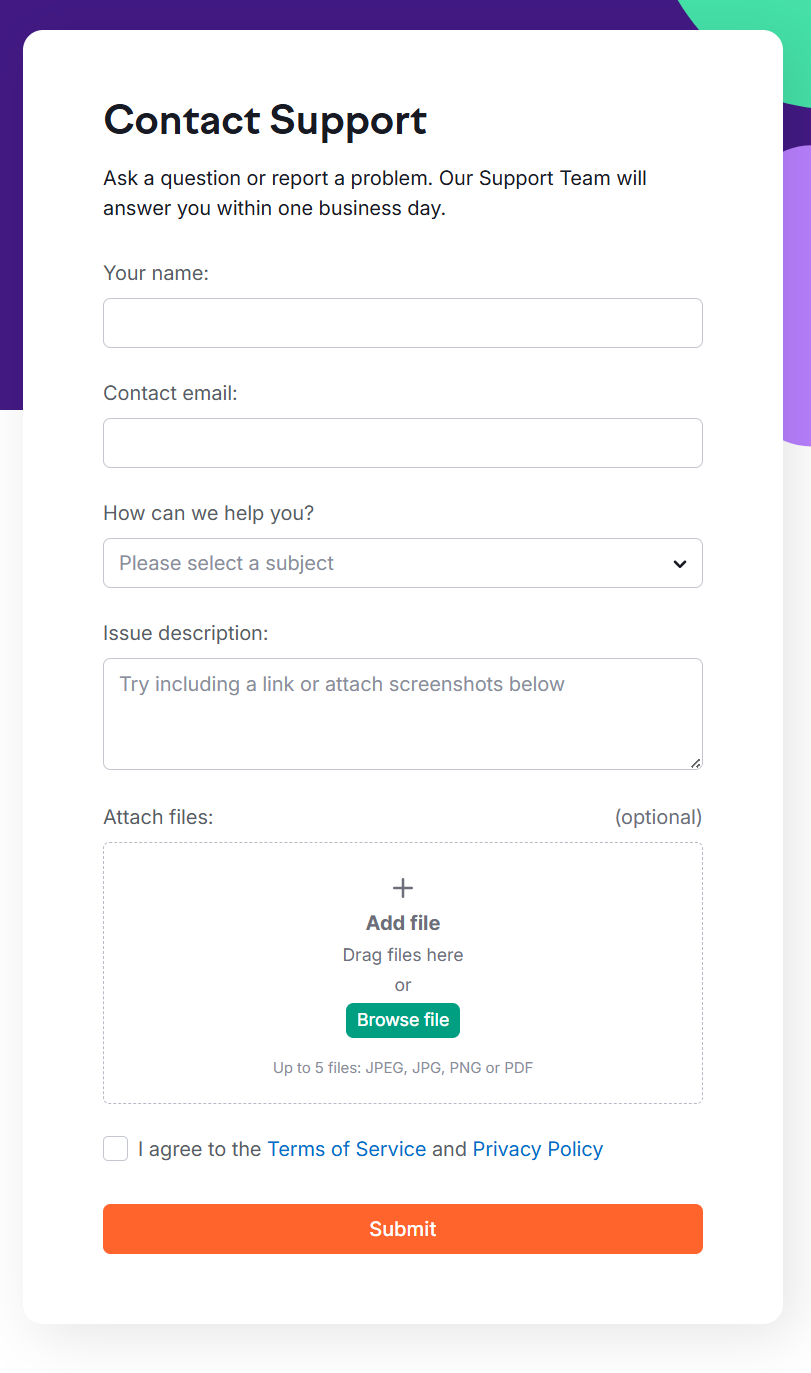
Navigate to Semrush Support and submit a request asking to delete your account. Reference Section 7.4 (De-Registration) of their Terms of Service in your request message.
Check Your Email for Confirmation Link
You'll receive a confirmation email containing an account removal activation link. This link is valid for 72 hours only — don't miss it.
Click the Activation Link to Confirm
This step verifies that the deletion request came from you. Without clicking the link, the deletion process will not begin.
Account Deleted Within 30 Days
Once confirmed, your account will be permanently deleted within 30 days — provided Semrush has no other legal obligations to retain your data.
💡 Didn't receive the email? Check your spam or junk folder. If it's still missing after a few minutes, contact Semrush support directly and request the confirmation link to be resent.
What Happens to Your Data After Deletion?
Once you confirm the deletion request, here's what happens to your Semrush data:
- All projects, reports, and tracked keywords are permanently removed
- Saved keyword lists, backlink data, and audit history are deleted and cannot be restored
- Website monitoring data is kept for 30 days if you downgrade first, but is deleted with account removal
- Billing history may be retained by Semrush for legal compliance purposes
- Your login credentials are invalidated — the email address can be re-used to create a new account later
Can't Log In? How to Delete Without Account Access
If you can't log into your account but still want it deleted or a subscription canceled, contact Semrush support via email. You'll need to provide the following details to verify your identity:
- The email address associated with your paid account
- The last four digits of the credit card used for payments, and the card type
- The billing amount and date of your last payment
⚡ Never share your full credit card number — Semrush only needs the last four digits for identity verification. Any request for the full number is not from Semrush.
How to Cancel Your Subscription (Without Deleting the Account)
If you just want to stop being billed but keep your account data, canceling the subscription is the right move. There are two ways to do this:
Method 1 — Direct Cancellation Form
Use Semrush's direct cancellation form link. Fill it out, confirm your decision to unsubscribe, and submit. You'll receive a cancellation confirmation email — click the confirmation link inside to finalize. The link is valid for 24 hours.
Method 2 — Via Subscription Info Page
Log into your account → navigate to Subscription Info → find the Recurring: Active link → click Contact us to reach the cancellation form.
💡 After canceling, your account drops to the free plan. You keep access to basic features (10 queries/day). Your saved projects and website monitoring data are retained for 30 days before being cleared.
How to Downgrade Instead of Deleting
If cost is the main reason you're considering deletion, downgrading is worth exploring first. Semrush allows you to move from a Business, Pro, or Guru plan to a lower tier by contacting support.
- You keep reduced access to Semrush tools at a lower monthly cost
- Website monitoring data is saved for 30 days in case you change your mind
- You can re-upgrade anytime — your previous settings and data are preserved within that window
- If you downgrade to the free plan, all data is deleted after one month — except the oldest folder's website monitoring data
How to Remove Add-Ons or Toolkits
Don't need a specific toolkit or add-on anymore? You don't have to cancel your entire subscription — Semrush lets you remove individual components:
- To remove additional limits or add-ons — contact Semrush support, specify which limits you want removed, and their team will process it
- To remove a specific toolkit (SEO, Content, Local, etc.) — contact support, select the toolkit you no longer need, and confirm. Their team will follow up shortly
How to Request a Refund
Semrush has a time-limited refund policy. Here's what you need to know:
- Submit a written refund request within 7 calendar days of placing your initial annual subscription order or additional license add-on order
- Refunds are processed to the same card or account used for the original payment
- Processing typically takes up to 30 days
- If you have custom terms in a signed agreement with Semrush, those terms apply instead
⚡ Monthly subscriptions are generally non-refundable after the billing cycle has started. The 7-day refund window applies primarily to annual plans and add-on orders.
What If You Were Charged After Canceling?
If you canceled but were still billed, here's exactly what to do:
Find Your Cancellation Confirmation Email
This is your primary proof. Search your inbox for the cancellation confirmation from Semrush — note the exact date and time.
Contact Semrush Support Immediately
Share the cancellation date and when the charge appeared. Semrush will refund according to their official refund policy when you provide proof of cancellation.
Dispute via Your Card Provider (If No Resolution)
If Semrush support doesn't resolve it within 48 hours, raise a dispute with your credit card provider or bank — the cancellation email serves as evidence.
Before You Delete — Consider This
Deleting your Semrush account is permanent. Before you go through with it, here are a few things worth considering:
- Export everything first — keyword lists, audit reports, competitor snapshots, backlink data. Once gone, it's gone.
- Try the free plan first — canceling your subscription drops you to the free tier, which still gives you 10 queries/day for occasional research.
- Consider a cheaper alternative — if price is the issue, tools like SE Ranking or Mangools offer similar core functionality at significantly lower cost.
- You can always come back — your email address can be used to create a new Semrush account after deletion. You just won't have your old data.
Everything You Need About Semrush Free Trial
Activate your Semrush free trial directly, read our step-by-step guide on how to get it, or learn how to cancel before getting charged — all in one place.
Start Semrush Free Trial
Get full Pro access for 7 days — keyword research, site audit, backlink analysis & competitor research. No charge until after the trial ends.
Start Free Trial →How to Get Free Trial
Step-by-step guide to activate your Semrush free trial — what you unlock, how to use it right, and how to get maximum value in 7 days.
Read Full Guide →How to Cancel Trial
Don't get charged by mistake. Step-by-step guide to cancel your Semrush trial before the billing date — timing tips included.
Read Cancel Guide →Not Ready to Delete? Try Semrush Free First
If you haven't fully explored Semrush yet, a 7-day free trial gives you complete Pro access — no commitment required. See what you'd actually be walking away from.
🚀 Start 7-Day Free TrialCancel anytime · Card required · Full access from day one